 Tool Kobako
01 / Master data management
Keep a history. Separate your work.
Edit master data in a table and manage changes by project.
With Team, members can work in parallel, hand over projects, and resolve conflicts.
Software for everyday work
Home / Master Note
Edit master data, track changes, and generate SQL to apply them to your database.
With Team, work on projects in parallel and review changes across multiple tables in a shared before-and-after report.
Application UI is currently available in Japanese. Screenshots and sample data are shown in Japanese. Checkout, delivery, and download pages may also be in Japanese.
A free Windows version is available. Personal and Team licenses are available for purchase.
What you can do with Master Note
Move master data management from Excel to a tool that keeps a change history. Simplify SQL preparation and review changes across multiple tables.
Edit master data in a table and manage changes by project.
With Team, members can work in parallel, hand over projects, and resolve conflicts.
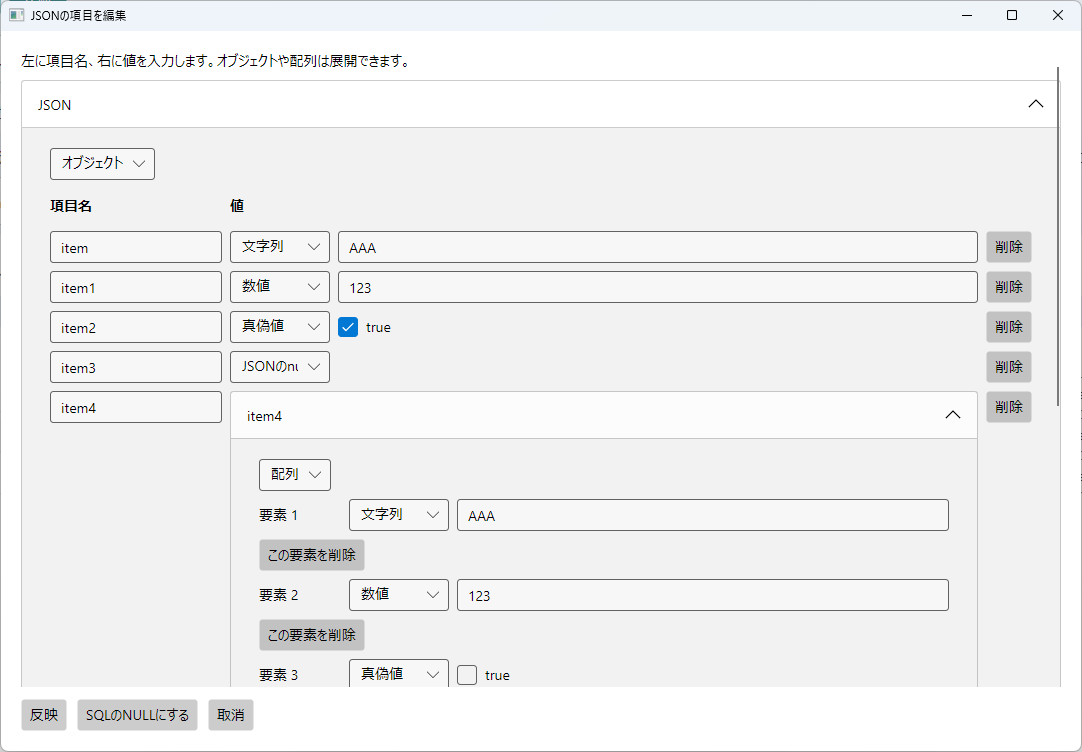
Generate SQL for Oracle, PostgreSQL, and MySQL, including JSON values that can be cumbersome to handle manually.
Run the SQL in your own database tool, then verify the result against a CSV exported from the database.
Export a report that organizes your changes. See which records changed in each table and compare their before-and-after values.
Spend less time finding and comparing individual Excel sheets.
Screenshots & output examples
Actual Windows app screenshots from the sample project, Autumn product update.
The example shows product price changes, additions, deletions, and a category name change.
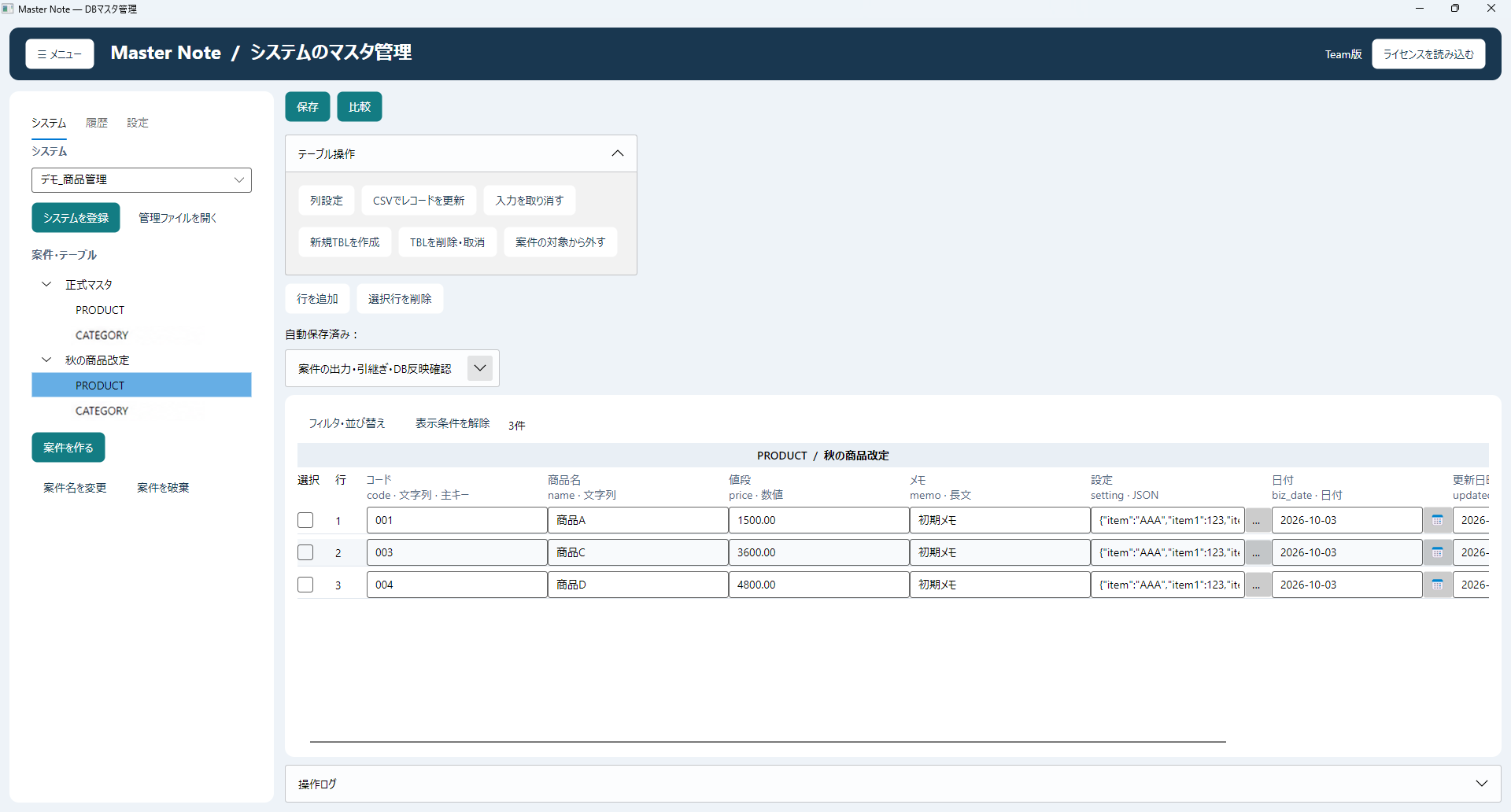 Enlarge the editor screenshot ↗
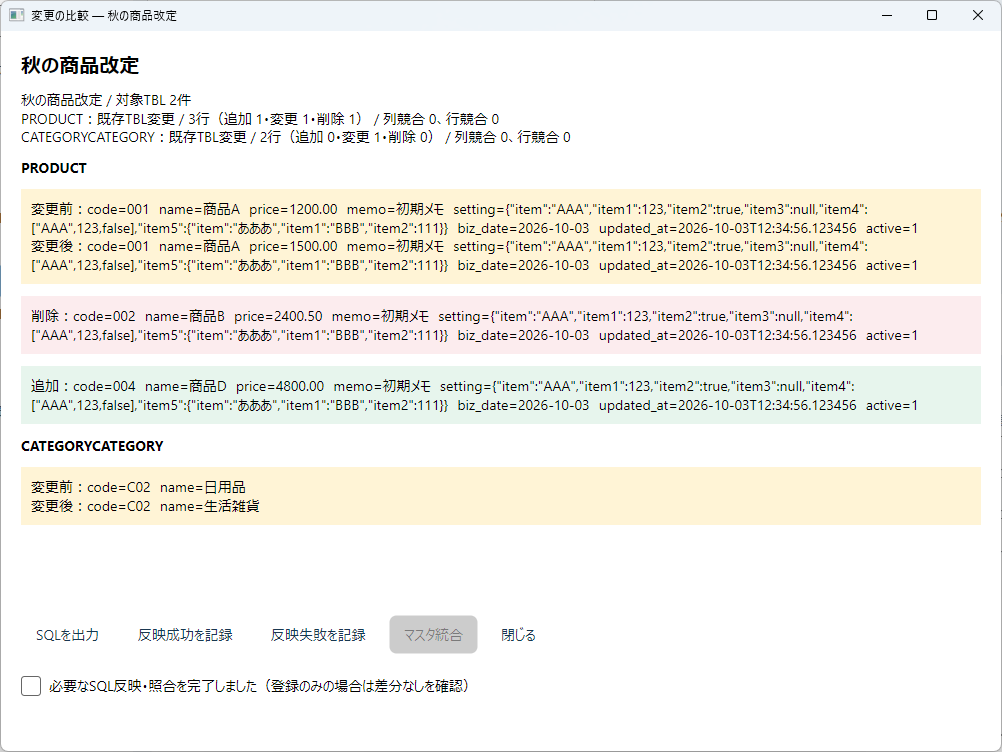
HTML exported from the same project. Review changed fields in the record list, then open the detailed comparison to see before-and-after values.
Open the sample review reportScreenshots use sample data.
Pricing and features
Personal and Team are one-time licenses. Prices include tax. Try the free version first to check the workflow.
Free version
v1.0.0 · Windows x64 · ZIP approx. 81 MB
No license or card registration required.
Use Extract All on the ZIP and launch MasterNote.exe. Edits cannot be saved in the free version. Try it with the included sample data.
Tax included · one-time purchase
Tax included · one-time purchase
FAQ
It does not connect directly to a database or execute SQL. It uses data such as CSV files for editing, comparison, and SQL generation. Use your own database tool to execute SQL and export CSV from the database.
A CSV exported from your database is compared with the selected project or the official master data. After applying a project's changes to the database, compare it with that project. Differences may remain against the official master data until the project is merged into it.
Personal covers use by the purchaser. Choose Team if multiple people in your organization will share the same license.
The current product is for Windows. You can request a Mac version through our contact form. We will consider requests for future development, but there is no release schedule yet.
You pay once when purchasing Personal or Team. There is no monthly fee or automatic renewal.
Published updates, including future major updates, are provided free within the scope of your purchased edition. Upgrading from Personal to Team costs an additional ¥10,000, tax included.
We do not guarantee update schedules, particular new features, or support for future operating systems.
Tested on Windows 11 25H2 for 64-bit Intel/AMD. The required .NET runtime is included.
Minimum memory and display requirements are still being verified. Windows 10, Windows ARM, Mac, and Linux have not been tested. Use the free version to check startup, display, and operation.
Managed content, including data, projects, history, and activity records, has an 8 MiB limit before compression. This differs from CSV size or compressed file size.
Storage needs depend on column counts, text length, history, and other factors, so no fixed maximum row count is guaranteed. Contact us before purchasing for large datasets. The free version cannot register or save real data for testing.
Questions & requests
We welcome Master Note questions, bug reports, and feature requests.
Tell us the product name, your environment, and what you would like to know. For bugs, include steps to reproduce so we can investigate more easily.
Do not send confidential data, passwords, or license files.
toolkobako.contact@gmail.com